> For the complete documentation index, see [llms.txt](https://docs.tworst.com/llms.txt). Markdown versions of documentation pages are available by appending `.md` to page URLs; this page is available as [Markdown](https://docs.tworst.com/getting-started-installation/scripts/scrapyard-job.md).
# Multiplayer Scrapyard Job
## Overview
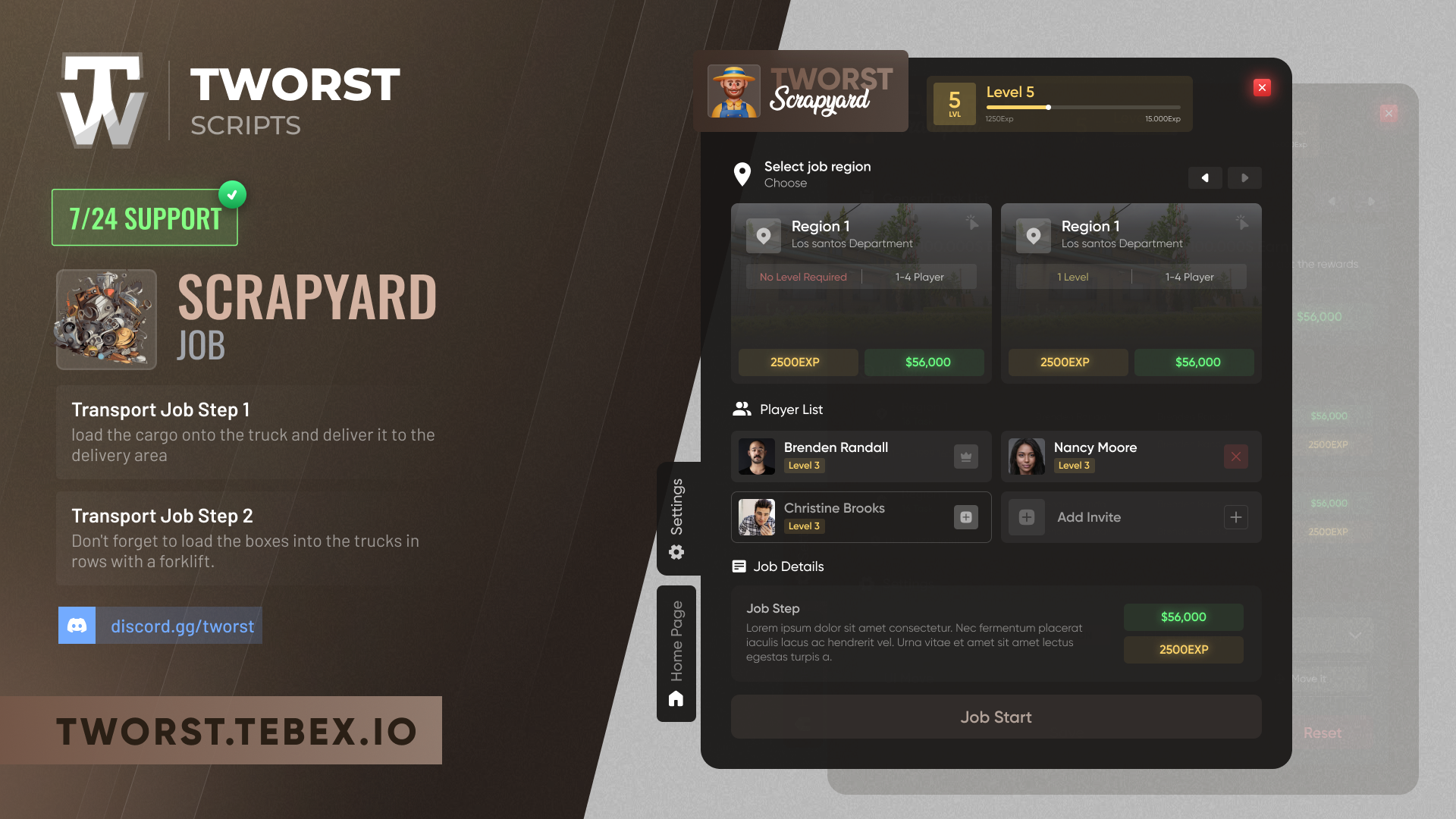
**TW Scrapyard Job** is a fully immersive multiplayer scrapyard job system where players can collect, process, and sell scrap materials. Work alone or team up with up to 4 players to complete missions, earn money, and level up your scrapyard career.
{% hint style="success" %}
**Multiplayer Support:** Up to 4 players can work together in a lobby, sharing tasks and rewards!
{% endhint %}
***
## Features
### Core Features
* **Multiplayer Lobby System** - Work with up to 4 players in cooperative gameplay
* **Vehicle Rental System** - Rent work vehicles to collect and transport scrap
* **Scrap Collection** - Pick up various scrap objects from designated areas
* **Press Machine** - Compress collected scrap into compact forms
* **Shredding System** - Break down compressed scrap into smaller pieces
* **Furnace & Melting** - Melt shredded materials into molten metal
* **Rail System** - Advanced bucket and rail mechanism for material transport
* **Crafting Tables** - Pour molten metal into molds to create items
### Additional Features
* **Level & XP System** - Progress through 70 levels with increasing rewards
* **Daily Missions** - Complete daily tasks for bonus rewards
* **Illegal Weapon Crafting** - Craft weapons from scrap parts (configurable)
* **Legal Item Crafting** - Create legitimate items for sale
* **Sell NPCs** - Legal and illegal buyers for your products
* **Reconnection System** - Players can reconnect to lobbies after disconnection
* **Tutorial System** - In-game video tutorials for new players
* **Multi-language Support** - 7 languages included (EN, TR, DE, FR, PT, RU, AR)
***
## How It Works
### Step 1: Start a Lobby
Go to the scrapyard NPC and open the job menu. Create a lobby and invite other players (optional).
### Step 2: Rent a Vehicle
Rent a work vehicle from the designated area. The vehicle is used to transport collected scrap.
### Step 3: Collect Scrap
Travel to the scrap collection area and pick up various scrap objects (microwaves, TVs, washing machines, etc.).
### Step 4: Process the Scrap
1. **Press** - Place scrap in the press machine to compress it
2. **Shred** - Put compressed scrap into the shredder
3. **Melt** - Pour shredded material into the furnace
4. **Pour** - Use the rail system to collect molten metal and pour into molds
### Step 5: Collect Rewards
Sell your crafted items to NPCs or complete missions for money and XP rewards.
***
## Requirements
| Resource | Required | Notes |
| --------- | -------- | --------------------------------------------------- |
| Framework | ✅ Yes | QBCore, QBox, ESX, vRP, or Standalone |
| Database | ✅ Yes | oxmysql (recommended), mysql-async, or ghmattimysql |
| PolyZone | ✅ Yes | Required for all Tworst Scripts |
### Optional Dependencies
| Resource | Purpose |
| ---------------------- | --------------------------------- |
| qb-target / ox\_target | Target interaction system |
| Vehicle Keys Script | Automatic vehicle key integration |
| Clothing Script | Job uniform system |
***
## Supported Systems
### Frameworks
| Framework | Config Value |
| ---------- | ------------------ |
| QBCore | `'qb'` |
| QBox | `'qb'` |
| ESX Legacy | `'esx'` |
| vRP / vRP2 | `'vrp'` / `'vrp2'` |
| Standalone | `'standalone'` |
### Inventory Systems
| System | Config Value |
| ---------------- | ----------------- |
| QBCore Inventory | `'qb_inventory'` |
| ESX Inventory | `'esx_inventory'` |
| ox\_inventory | `'ox_inventory'` |
| qs-inventory | `'qs_inventory'` |
### Vehicle Key Systems (Auto-detected)
* qb-vehiclekeys
* qbx-vehiclekeys
* qs-vehiclekeys
* wasabi-carlock
* cd\_garage
* Renewed-Vehiclekeys
### Fuel Systems (Auto-detected)
* LegacyFuel
* ox\_fuel
* cdn-fuel
* ps-fuel
* x-fuel
***
## Commands
| Command | Description |
| ------------------------ | ----------------------- |
| `/jobresetscrapyard` | Reset your current job |
| `/jobleavescrapyard` | Leave the current lobby |
| `/openTutorialscrapyard` | Open the tutorial menu |
***
## Items
The script includes the following items that need to be added to your inventory system:
| Item | Label | Description |
| -------------- | ------------- | -------------------------- |
| `iron` | Iron | Processed metal from scrap |
| `gold_dust` | Gold Dust | Rare material from scrap |
| `pistol_part1` | Pistol Part 1 | Weapon component |
| `pistol_part2` | Pistol Part 2 | Weapon component |
| `pistol_part3` | Pistol Part 3 | Weapon component |
| `pistol_part4` | Pistol Part 4 | Weapon component |
{% hint style="info" %}
Item definitions for QBCore and ox\_inventory are included in the `ITEM/` folder.
{% endhint %}
***
## Quick Links